Gibbon Engine
A Vulkan game engine and editor written from scratch in C++20.
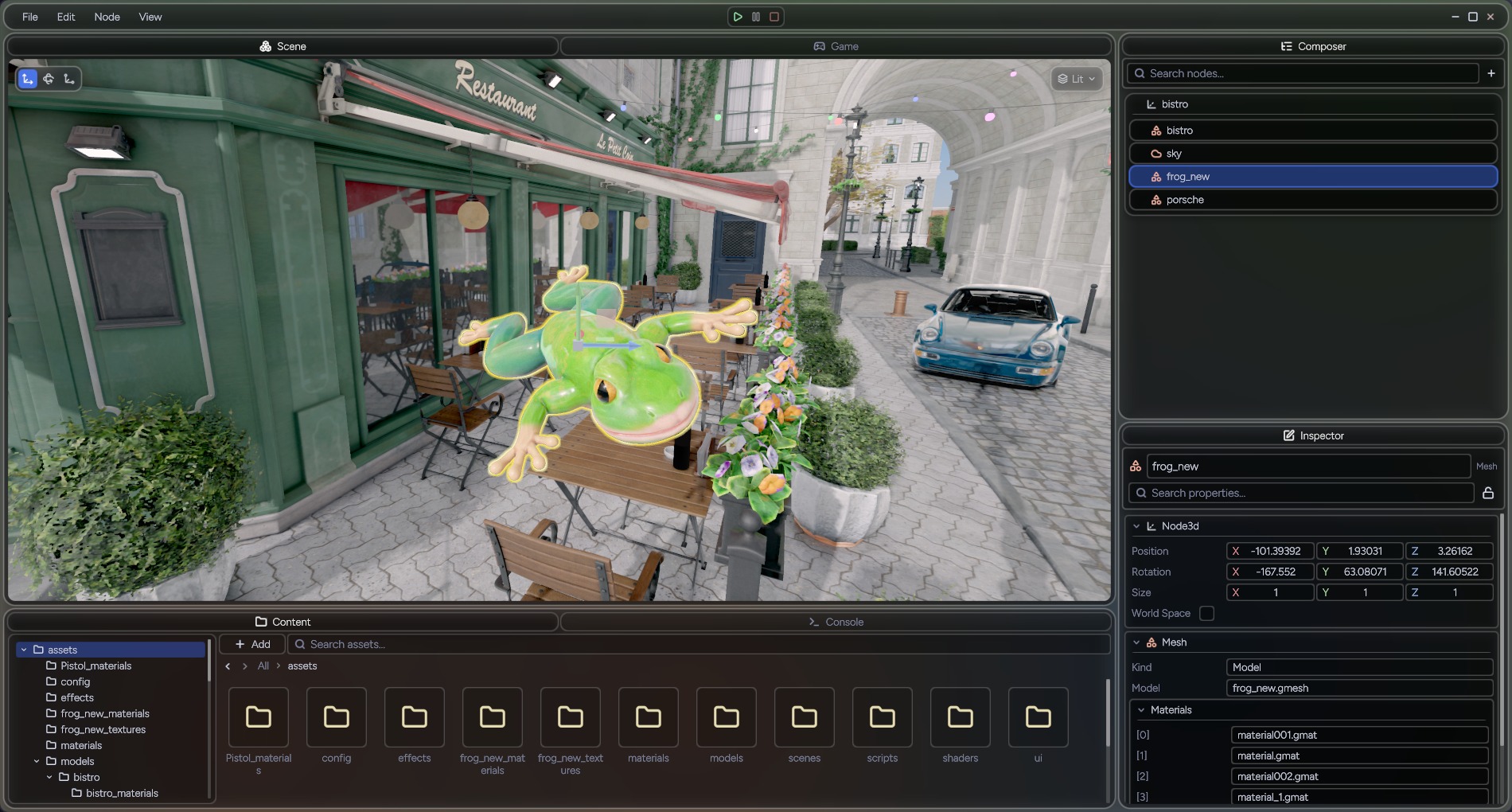
A general purpose 3D game engine and editor. Vulkan renderer with real-time ray-traced GI, node-based scene model, AngelScript gameplay scripting, Jolt physics, and a cooking pipeline that ships a game as one package.
Roughly 90,000 lines of C++ and 6,000 lines of Slang, not counting vendored libraries or codegen from reflection.
Active development started in June 2026, but the project builds on years of previous engines and renderers. A lot of the design, learnings and techniques were carried over from those.
It is not open source yet. I will release it once a simple game can be built on it without major bugs and the code is presentable and extendable. Until then I am happy to walk through the source on request.
- Vulkan 1.3 renderer: render graph, bindless resources, GPU-culled indirect draws, clustered lighting
- Dynamic global illumination from ray-traced probes (DDGI) and denoised ray-traced reflections
- AngelScript gameplay scripting on the stock compiler: generated typed bindings, hot reload, script properties in the editor
- Reflection code generator: one annotation gives serialization, inspector UI and script bindings
- Materials and post effects written as Slang types, reflected by the editor
- Editor: docking UI framework, scene composer, undoable inspector, content browser, play-in-editor, one-click export
Key LessonDeveloping a general purpose engine without a game alongside it is hard. Scope grows significantly because no feature has a minimum requirement to meet or a way to tell when it is done. This engine would benefit greatly from an actual game being built on it.
Gibbon is a 3D game engine with an editor built on it, written from scratch in C++20. The engine is a static library. The editor, a minimal runtime for shipped games, and a handful of tools are separate binaries that link it.
I started it to have one place to exercise everything I have learned about game, engine and tools development, and to study the full pipeline of a game from initialization to gameplay.
What is in it
- Renderer: Vulkan 1.3, a render graph that derives its own barriers, bindless textures, GPU-culled indirect draws, clustered lighting, PBR with image-based lighting, cascaded shadow maps, GTAO, TAA, AgX tonemapping, dynamic diffuse GI from ray-traced probes, ray-traced reflections, per-viewport offscreen rendering with GPU picking and debug views
- Shaders: materials and screen-space effects are Slang types a project writes; the editor reflects their parameters
- Framework: node/scene/world model with an edit/play split, scenes that instance other scenes as ordinary nodes, per-node service injection with no global engine state, Jolt physics, data-driven input actions, tweens and signals
- Reflection: a code generator that scans annotated headers and emits serialization, editor metadata and AngelScript bindings
- Scripting: AngelScript on the stock compiler, with a generated typed class hierarchy, script properties in the inspector and scene files, typed resource and node handles, hot reload, and bytecode-only shipping
- Assets: guid-identified single-file resources, a virtual filesystem over loose directories or cooked bundles, import-time conversion of glTF, images, fonts and SVG icons, and an asset dependency graph
- UI: retained-mode flexbox widget framework with a layered compositor, MSDF text, routed input, drag and drop, and dockable multi-window panels. The same system serves the editor and shipped games
- Editor: project launcher, scene composer, reflected inspector with undo and multi-edit, content browser with rendered thumbnails, gizmos, command palette, play-in-editor, and one-click export to a cooked build
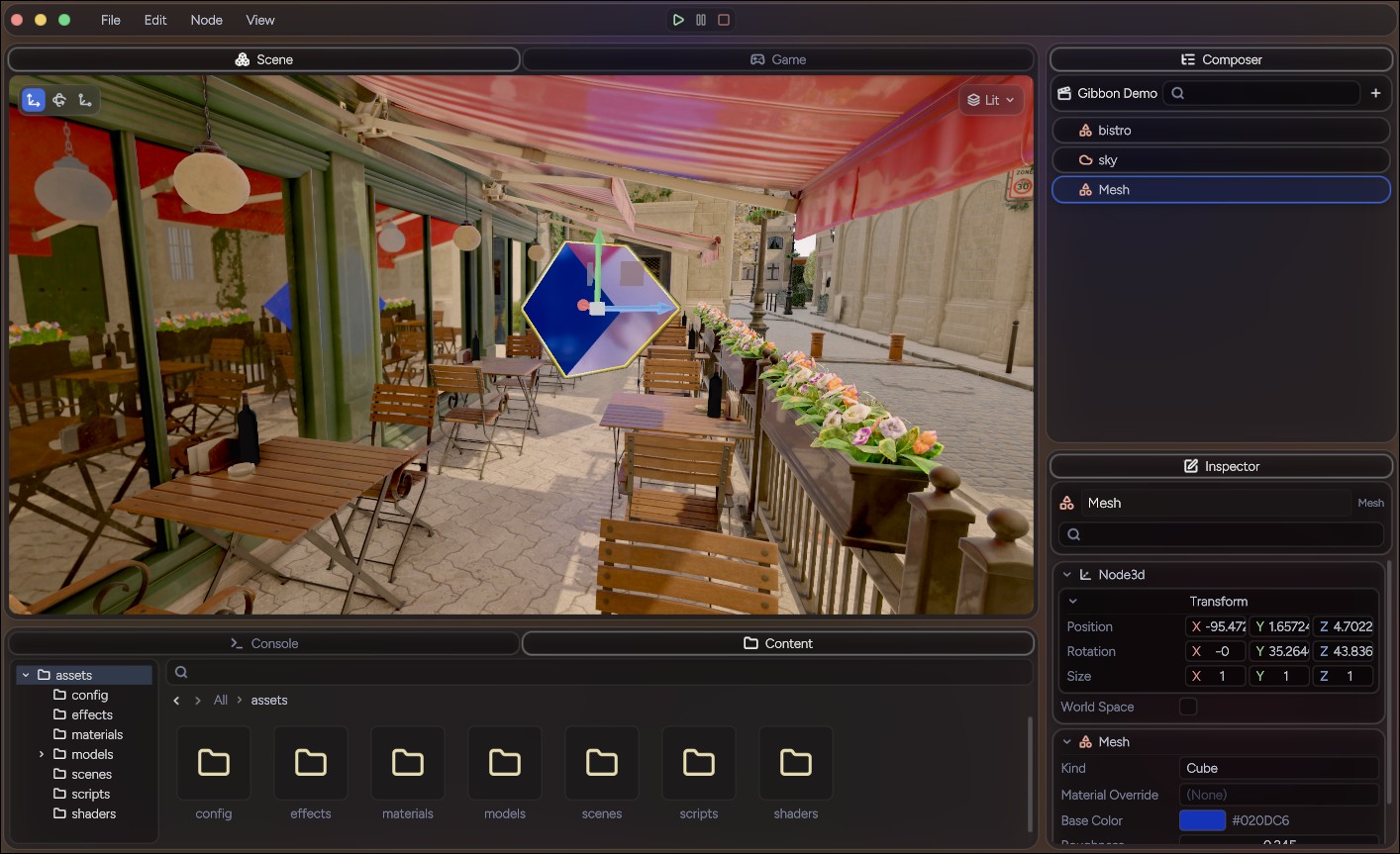
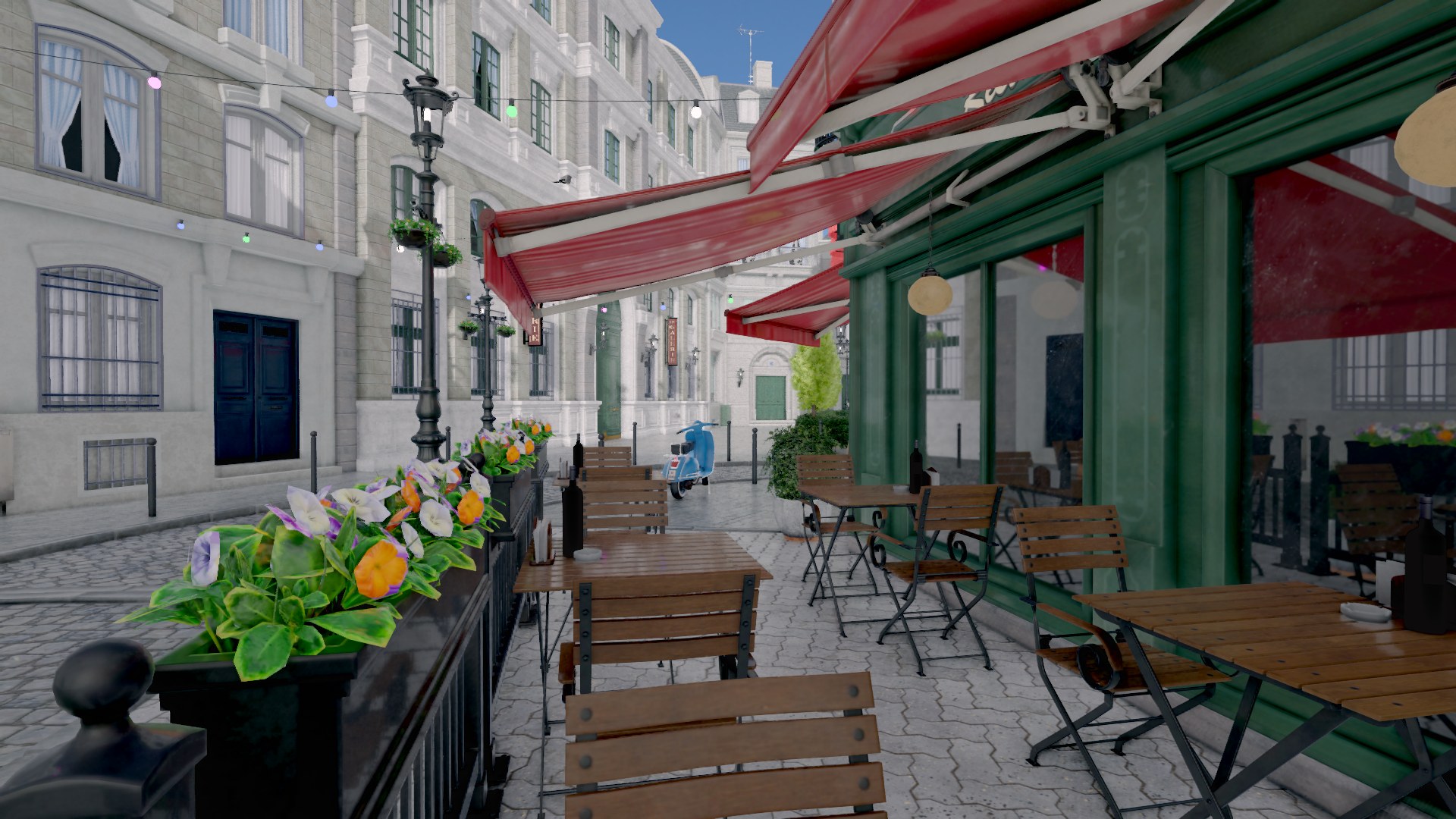
A forward renderer on Vulkan 1.3 using dynamic rendering and synchronization2. A project touches only materials and post effects; the rest is engine-owned.
Render graph
Passes declare what they read and write, and the graph derives barriers and layout transitions from that. No pass assumes what ran before it.
View-independent work runs once per frame regardless of viewport count. The editor renders several viewports per frame (scene view, game view, every asset thumbnail), and each owns its own scene buffer, light clusters, prepass, GTAO and TAA.
Geometry and culling
All mesh geometry lives in one shared vertex buffer and one shared index buffer. A mesh is an offset and count into each, which makes indirect drawing possible: one vkCmdDrawIndexedIndirect covers every mesh in the arena. Each draw reads its instance data from a storage buffer indexed by firstInstance, so nothing is pushed per object and the GPU can generate draws without shader changes.
A compute pass frustum-tests each instance's bounding sphere and zeroes the instance count of commands that fail. Zeroed commands cost nothing and keep the list stable, so there is no count buffer and no compaction.
Surface prepass
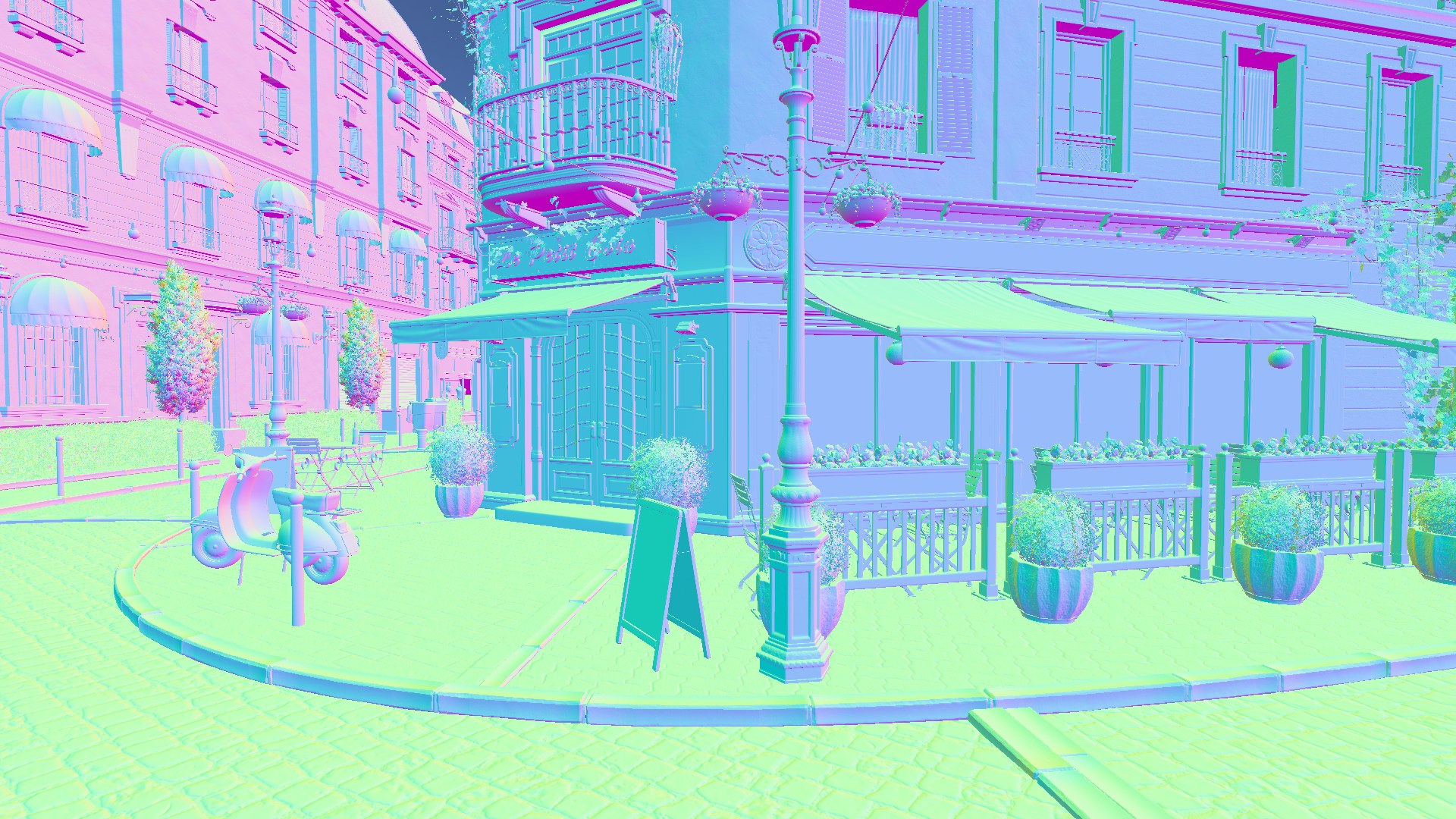
The opaque queue is drawn once into depth, a velocity buffer and a surface buffer (octahedral world normal, roughness, metallic). All screen-space passes work from those plus depth. The prepass is specialised per material through the same evaluate() as the forward pass, so alpha masking cannot disagree between the two.
Motion vectors include object motion. The previous world position comes from one per-instance matrix applied in the fragment stage, which keeps it off the shared vertex output.
Clustered lighting
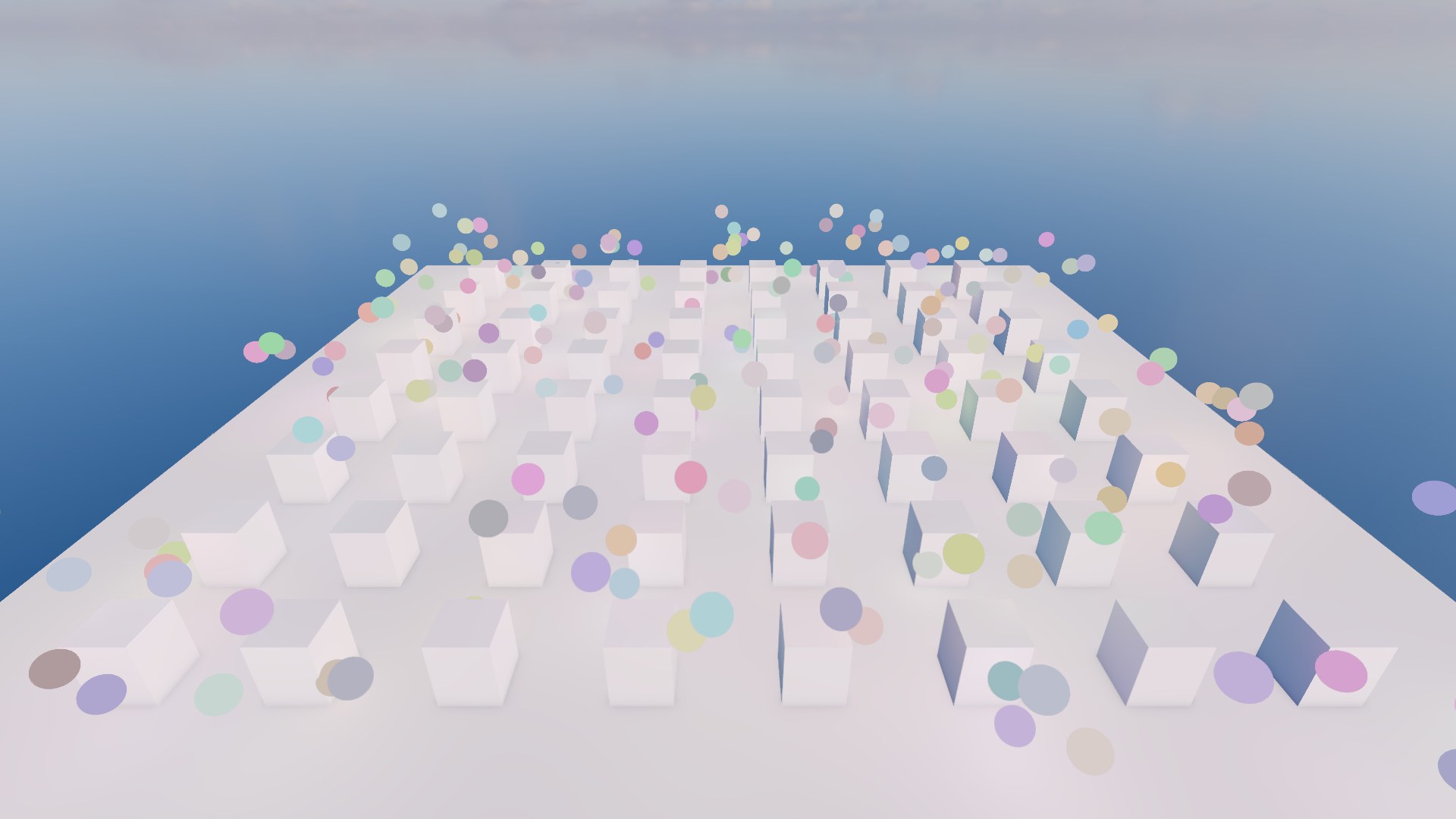
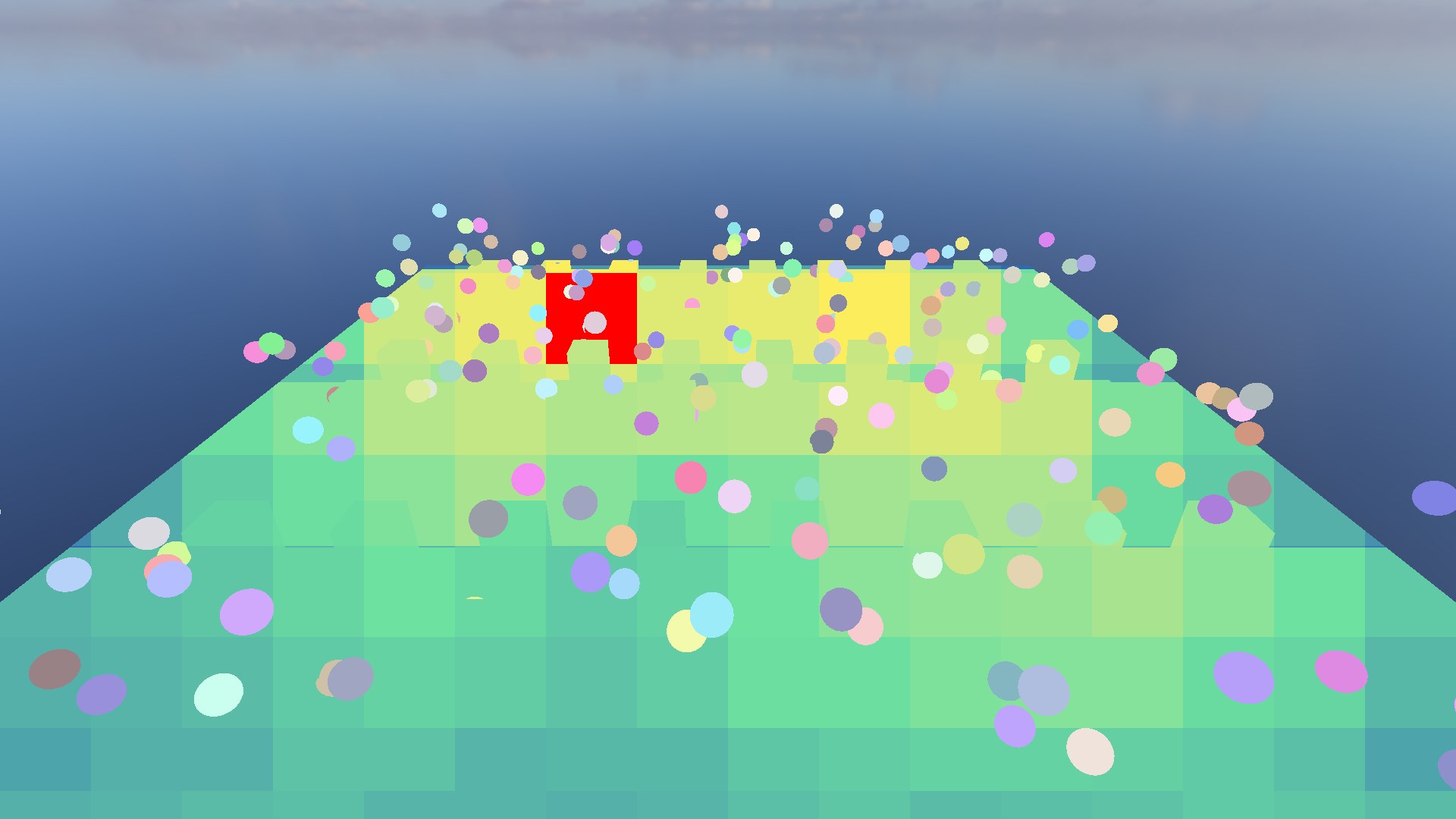
Lights go to the GPU in one storage buffer with no fixed limit. Point and spot lights are binned by a compute pass into a froxel grid (screen tiles by logarithmic depth slices), and each pixel walks only its own cluster. A cluster that overflows drops lights, and the occupancy debug view paints it red so that is never silent.
Shadow atlas caching
Sun shadows are four cascades sampled with a rotated Poisson disk. Drawing the opaque queue four times is the largest avoidable cost in a still frame, so each frame hashes the cascade inputs (matrices, every caster's mesh, placement and alpha state) and skips the cascade passes when the hash is unchanged. On the Bistro with a still camera this took the frame from 9.67 ms to 6.42 ms with byte-identical output. Any moving object, camera or sun redraws.
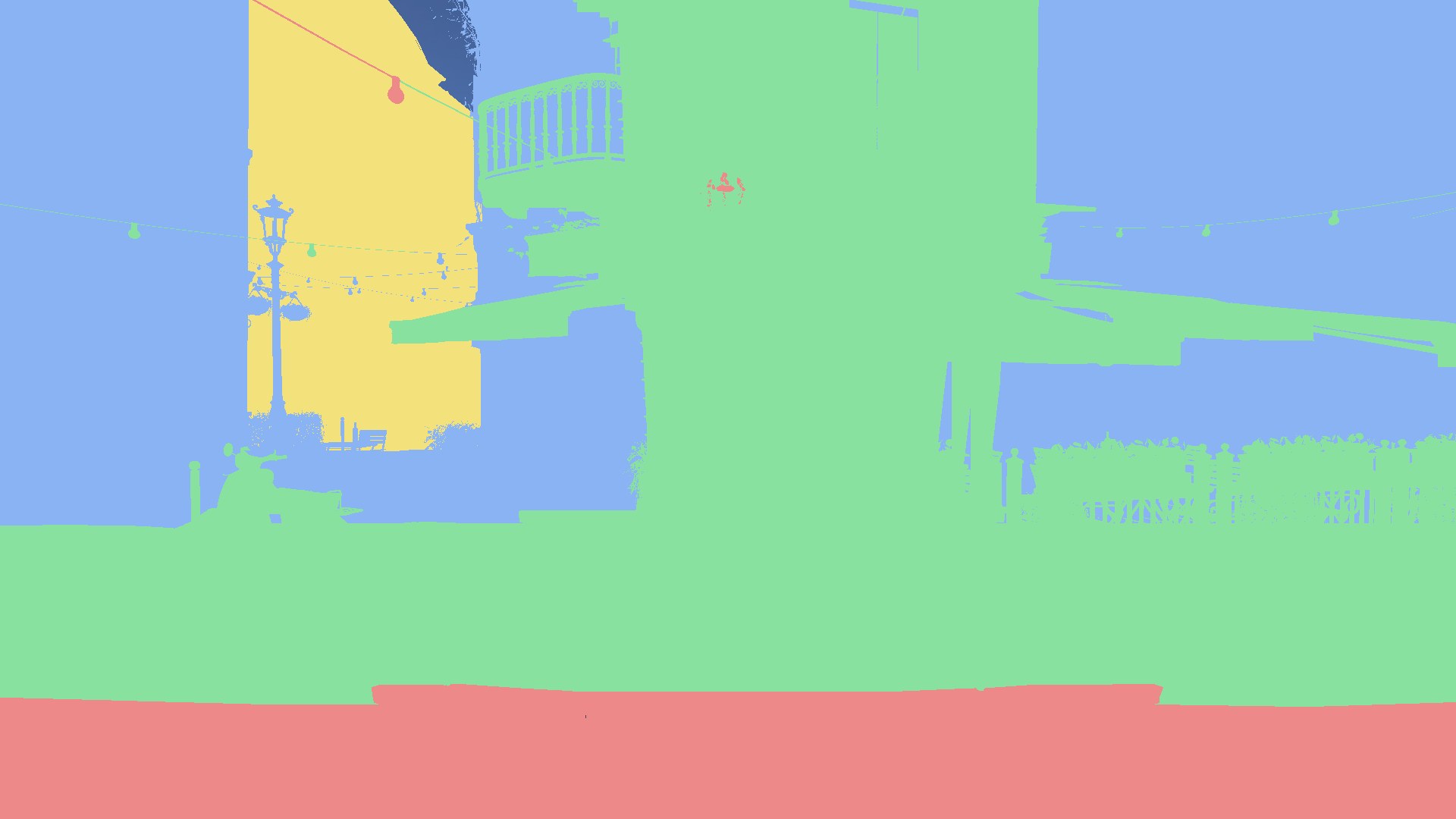
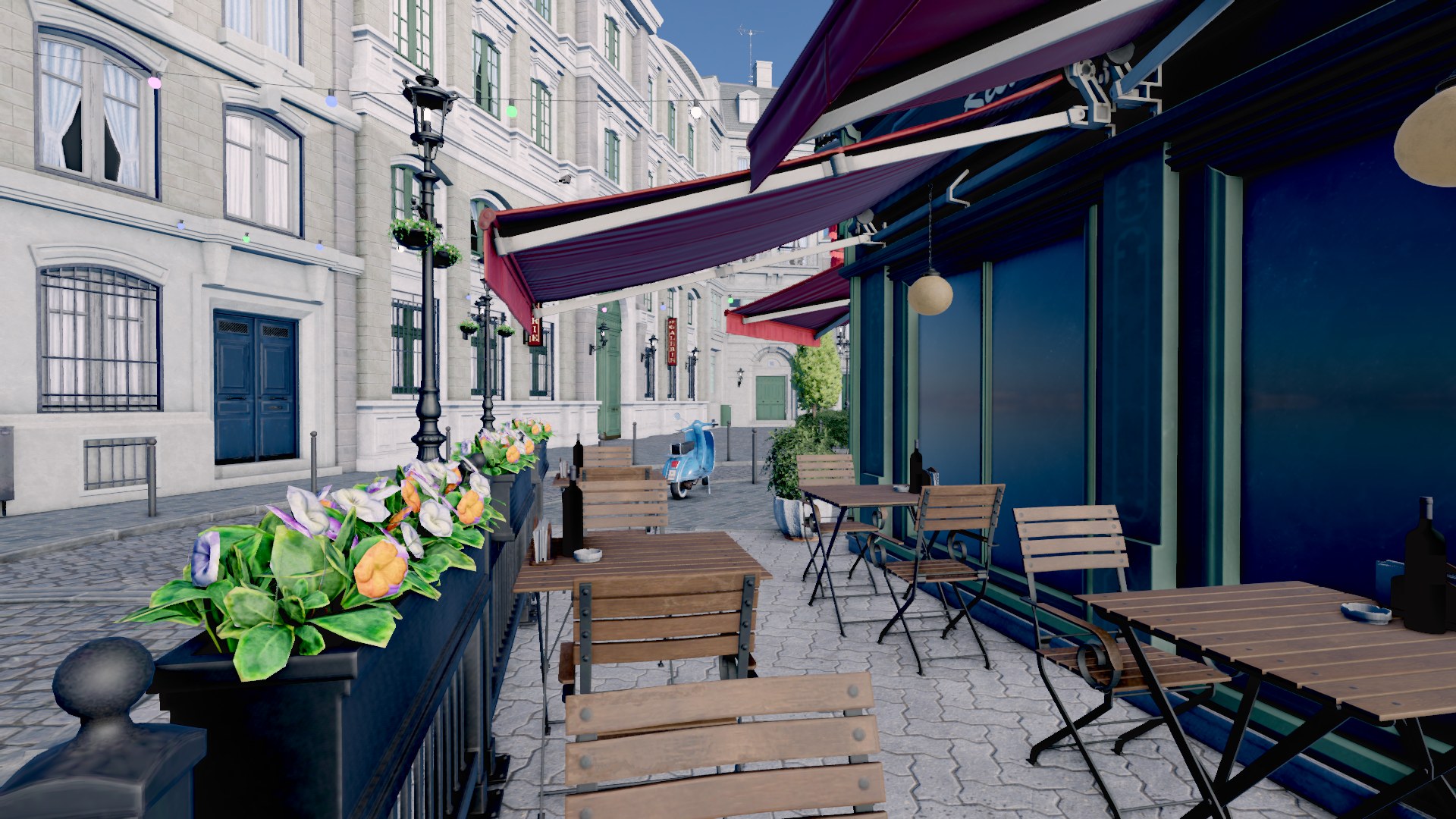
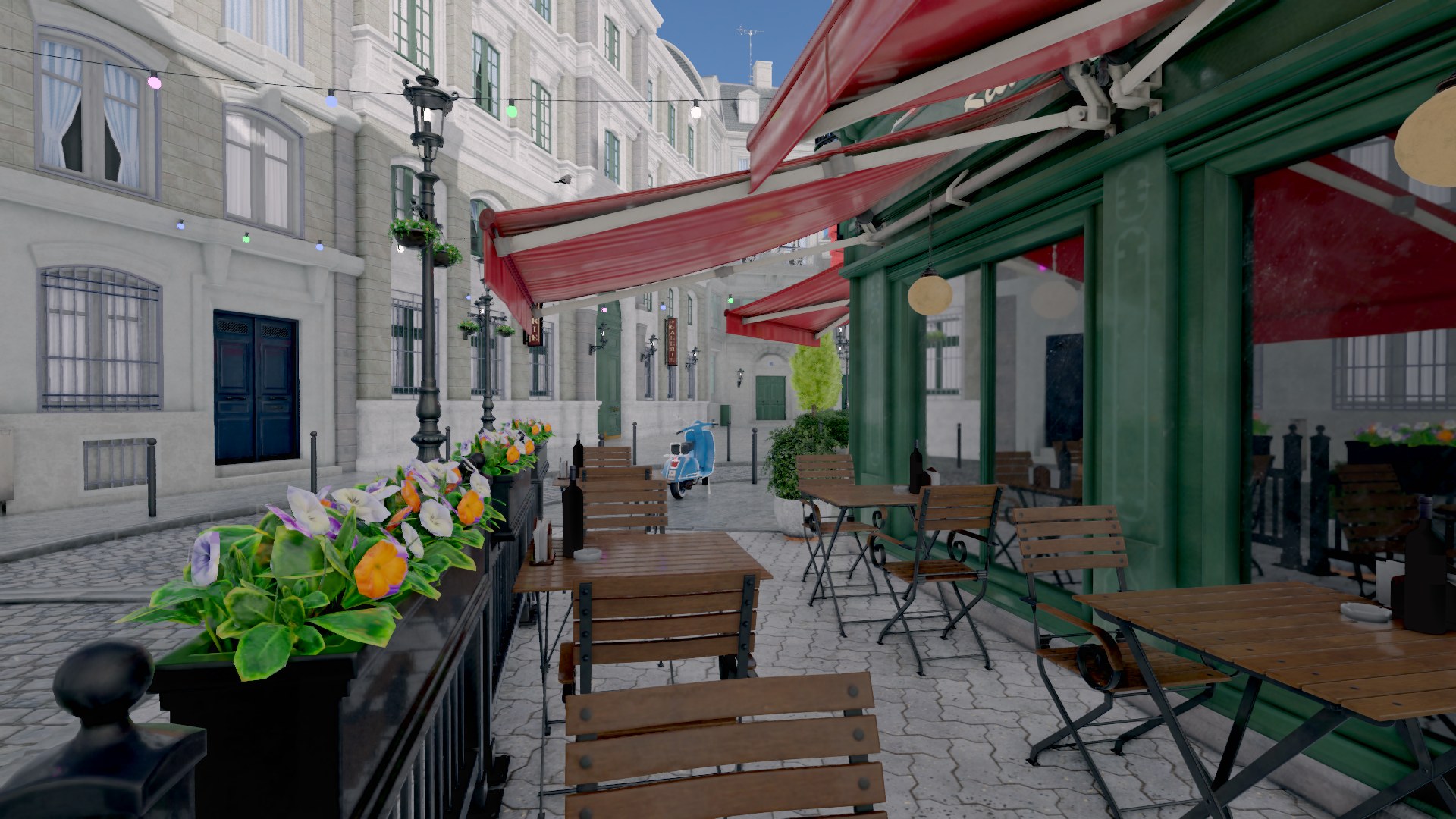
Diffuse indirect light comes from a field of probes that re-trace the scene every frame using Vulkan ray queries from compute. There is no bake step: move a light or a wall and the bounce follows.
The approach was inspired by Embark's use of RTXGI in ARC Raiders. I am interested in adding a baked mode later, where the probes are saved and loaded, so hardware without ray tracing could use the same lighting, just not dynamically.

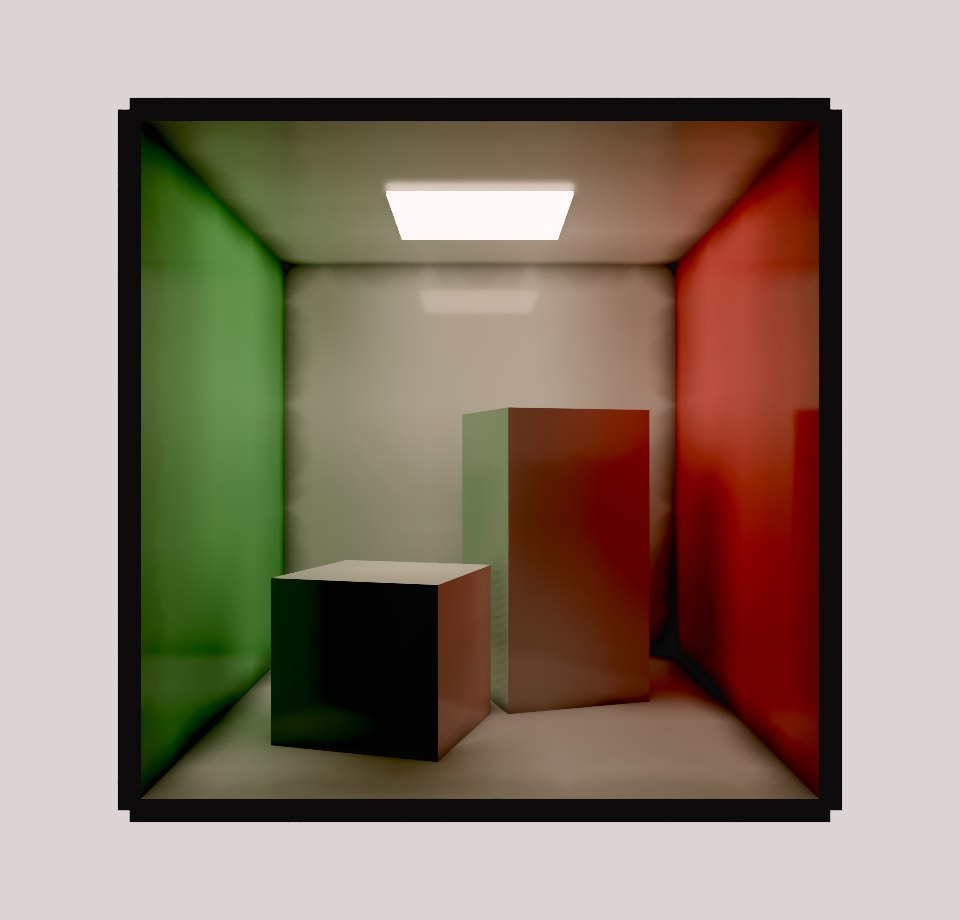
The right image showcases the DDGI solution, as you can see it's not perfect.
The dark mold-like artifacts are tough to get rid off. These are not as visible when actual direct lighting also contributes to a scene. Similair artifacts can be observed in games using RTXGI such as the afformentioned ARC Raiders.
The integration rule: direct light is shadow-mapped, indirect energy comes only from the probes, and screen-space techniques only modulate. No source adds energy twice.
Probes with visibility
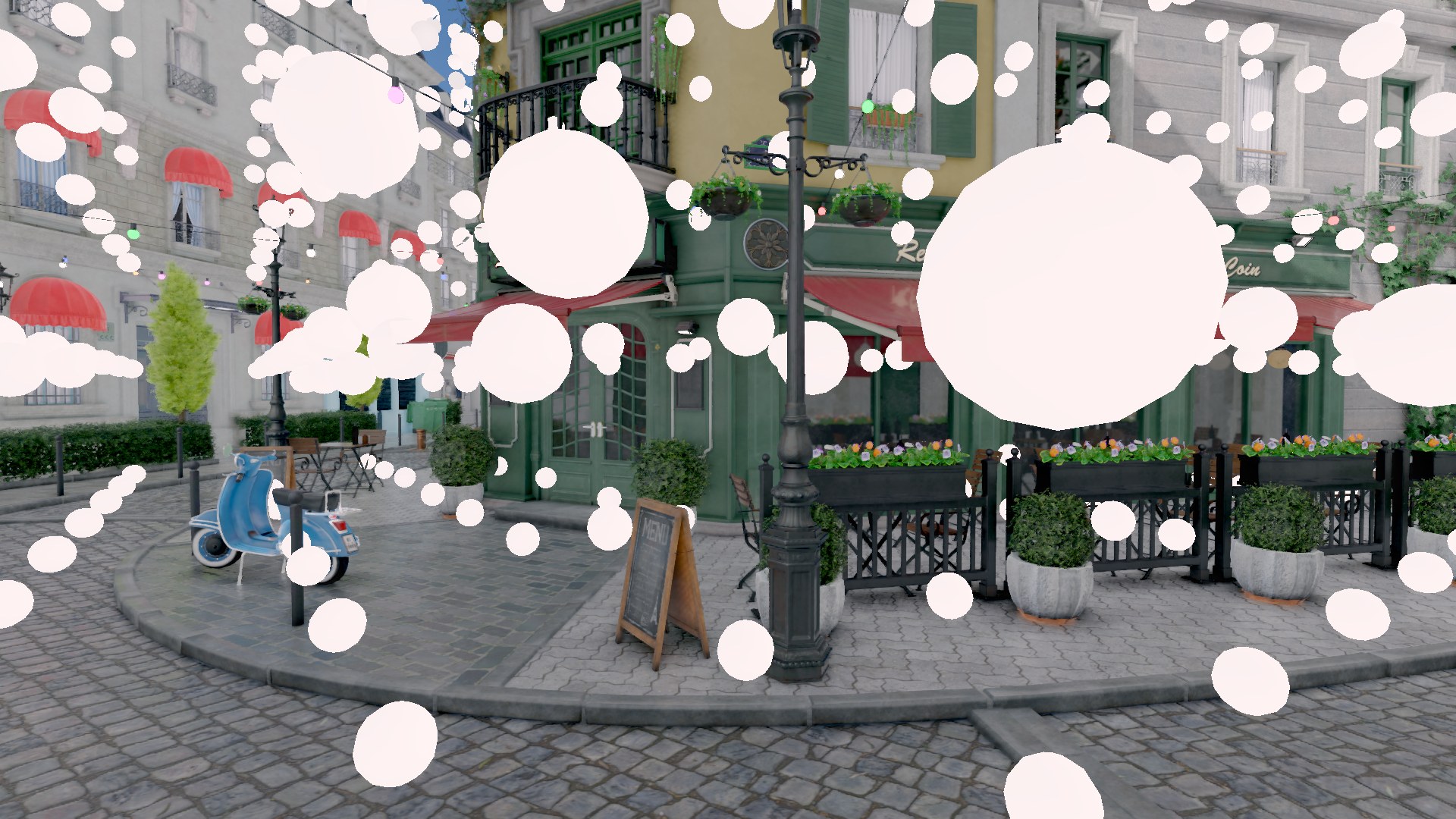
Each probe stores two octahedral maps: irradiance from every direction, and distance to the nearest surface in every direction. The distance map is what makes this DDGI rather than a light probe grid. Sampling runs a Chebyshev test against it, so a probe on the far side of a wall is weighted out instead of leaking light through.
Clipmap cascades
The field is a set of nested boxes around the camera, each three times the spacing and extent of the one inside it, all with identical probe counts. Three cascades cover 27 times the innermost volume for three times the probes. Moving scrolls the grid in whole-probe steps and keeps every probe that stayed at the same world position, so only the new frontier starts cold. A world of any size costs the same.
Identical counts keep it cheap: every cascade's tiles are the same size, so they share one atlas and shading binds one image.
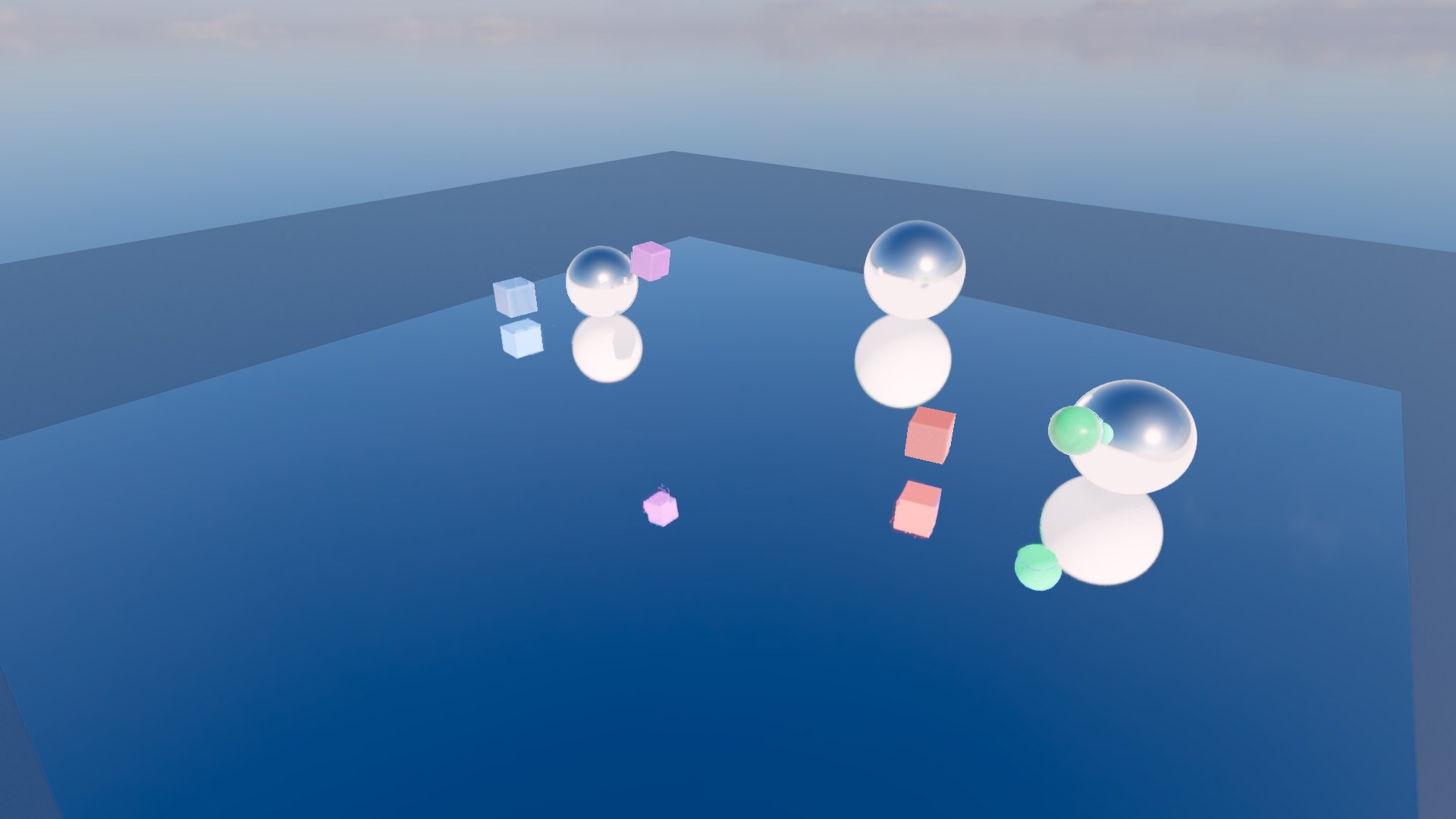
One ray per pixel, GGX importance sampled around the reflection vector from a low-discrepancy sequence, traced against the prepass depth and normals. Hits are shaded by the same code a probe ray uses, so reflections and bounce agree about the sun, local lights and the probe field. The pass runs before the forward pass so a material that shades itself can read the result.
A single ray is far too noisy to display, so a temporal denoiser accumulates each frame's ray into the history for that point. It reprojects along the hit position, not the surface: a reflection moves with the thing reflected, so the virtual point is projected under both frames' matrices and the history is read at that motion.
Measuring the denoiser
Temporal standard deviation cannot judge a denoiser, because it cannot separate denoiser error from the scene legitimately changing. Five A/B tests came back flat against that metric before I replaced it.
The replacement is a ground truth: the probe tool can trace 64 rays per pixel with jitter off and average sixty frames, which is stable to 0.034 of 255. Scoring the shipping configuration against it, binned by roughness, quantified the visible complaint: error roughly triples from mirror-like to mid-roughness surfaces, peaking around 0.6 to 0.7. It also ruled out the obvious fix. Four rays instead of one cost 2.5 times the trace time for a 16% improvement. The real lever was the spatial filter's convergence threshold.
A material is an instance of a shader with stored parameter values. The engine does not know what parameters a material has; the shader declares them and Slang reflection reports them. A material implements one of two interfaces:
// Describe the surface, the engine lights it. What almost every material wants.
interface ISurface {
    bool evaluate(SurfacePoint p, out Surface s);   // false discards the fragment
}

// Return finished radiance. The engine still owns geometry, depth and blending.
interface IShaded {
    float4 shade(SurfacePoint p, ShadingContext c);
}
The engine's passes are written once, generic over the material type, and specialised at link time, so materials cost no dynamic dispatch. Writing one is a struct in a .slang file in the project's shader folder:
module my_materials;
import surface;

public struct Chrome : ISurface {
    public float4 tint;
    public float  roughness;

    public bool evaluate(SurfacePoint p, out Surface s) {
        s           = default_surface(p);
        s.albedo    = tint.rgb;
        s.metallic  = 1.0;
        s.roughness = roughness;
        return true;
    }
};
The file is an asset as soon as it is saved. Every ISurface or IShaded struct in it appears in the material Shader dropdown, and picking one rebuilds the inspector from the reflected parameters: a float4 named like a colour gets a swatch, a uint named tex* gets a texture picker and receives the texture's bindless index.
Screen-space effects work the same way. An IPostEffect receives a pixel and returns a replacement, and a camera decides which effects run in what order. The chain is rebuilt only when the effect list changes, since that compiles pipelines; values are re-uploaded every frame, so animating them is free.
Nodes, scenes, worlds
A node is the unit of the scene graph. A scene is one root node and everything under it, and the root's type is chosen per scene: a level is a node3d, an enemy a kinematic_body, a menu a ui_canvas. A scene placed inside another is an ordinary node with the source scene's root type. Its subtree is re-read from the source on every load, so editing the source updates every instance, and the outer scene stores only the differences: a property set, a node added, a node removed.
The node workflow is inspired by Godot, which I find delightful to work in.
A world owns scenes plus its own physics, and assembles the services bundle its nodes see:
struct services {
    renderer*        render;   // shared, app-level
    physics_service* physics;  // per-world
    script_engine*   scripts;  // shared, app-level
    input_state*     input;    // shared, app-level
    world*           owner;
    bool             playing;  // simulating, vs merely shown
};
There is no global engine state. Services are injected into the tree and every node caches the pointers, so gameplay code reaches the renderer or physics without singletons. Two worlds are two independent simulations, which is how the editor runs a play session without disturbing the scene being edited.
One annotation, three outputs
A code generator runs before the engine compiles. It scans headers for annotation macros and emits registry registration with JSON read/write per type, type_name<T> specializations, and the AngelScript binding surface. The macros expand to nothing; they are markers for the tool.
TYPE(serialize)
struct directional_light : node3d {
    PROPERTY(serialize, editor) vec3  color        = { 1.0f, 1.0f, 1.0f };
    PROPERTY(serialize, editor) float strength     = 1.0f;
    PROPERTY(serialize, editor) bool  cast_shadows = false;
};
That is enough for a field to serialize, appear in the inspector and be reachable from script. Further tags control how a field is edited: range, snap, color, asset, group, readonly. The generated files are committed, so a clean checkout builds without running the tool and a codegen change is a reviewable diff.
Assets and shipping
Every resource is a single file with a JSON header and a binary payload, identified by a guid so references survive renames and moves. Source formats (glTF, images, fonts, SVG) are converted at import by a separate library that only the editor and the cook step link, so a shipped game never carries an importer. The cook walks the dependency graph from the project's start scene, precompiles every reachable shader, and packs only what the game uses into a .gpkg bundle that the runtime mounts through the same virtual filesystem the editor uses for loose files.
Loading runs on a job system. Workers only touch their own data and the filesystem, then hand results to the frame thread, which owns the renderer, node tree and caches. Opening a project, importing, thumbnail rendering and export all report progress instead of freezing the editor.
Gameplay is written in AngelScript. I chose it because Hazelight and Embark use it for most of their gameplay code through UnrealAngelscript, and my own experience with it has been great. It fills a rare niche: a C-like scripting language with a good embedding story. The closest alternatives are C# or compiling a C-like language to WASM, and both bring their own hurdles for embedding and for customization to fit the engine.
Hazelight's UnrealAngelscript gets its ergonomics by forking the AngelScript compiler. Gibbon uses the stock compiler and gets a similar feel a different way: the binding layer is generated from the C++ headers, and scripts inherit engine types through a generated class hierarchy. Forking could bring benefits, as Hazelight has shown, but maintaining a heavily modified fork is a project of its own, so I have held off.
Annotation to binding
The same annotation that makes a type serialize and appear in the inspector makes it scriptable. A new node type is scriptable the day it is tagged. Nothing is hand-maintained.
TYPE(serialize, scriptable)
class camera : public node3d {
    PROPERTY(serialize, editor) float fov = 60.f;
    FUNCTION(scriptable) void make_current();
};scriptableemits the AngelScript bindingabstractmarks a scriptable type with no factoryresourcegives a type a handle so a script can hold one asMaterial@script_name("Foo")overrides the generated name
The shadow hierarchy
AngelScript cannot derive script classes from registered C++ types. Instead the generator emits a parallel class hierarchy that scripts inherit from, where each class holds a handle to its native counterpart and forwards to it:
class Node : INode {
    __NativeNode@ __self;
    void OnReady() {}
    void OnUpdate(float dt) {}
    void OnPhysicsTick(float dt) {}
    Node@ GetChild(const string &in name) { return __ResolveNode(__self.GetChild(name)); }
}

class Node3D : Node {
    void Move(const Vec3 &in a0) { __self.Move(a0); }
    Transform& get_transform() property { return __self.transform; }
    void set_transform(const Transform &in v) property { __self.transform = v; }
}

class Camera : Node3D {
    void MakeCurrent() { __self.MakeCurrent(); }
    float get_fov() property { return __self.fov; }
    void set_fov(float v) property { __self.fov = v; }
}
A user script derives from a shadow class and overrides lifecycle hooks. Property accessors are generated as property pairs, so scripts use plain field syntax, and value-type fields are registered by memory offset, so transform.rotation.y = ... writes straight through to the native node.
class PlayerController : KinematicBody {
    float speed = 1.5f;

    void OnPhysicsTick(float dt) override {
        Vec3 dir = Vec3(0, 0, 0);
        if (Input::IsActionPressed("move_forward")) dir = dir + Vec3(0, 0, -1);
        if (Input::IsActionPressed("move_back"))    dir = dir + Vec3(0, 0, 1);
        if (Input::IsActionPressed("move_left"))    dir = dir + Vec3(-1, 0, 0);
        if (Input::IsActionPressed("move_right"))   dir = dir + Vec3(1, 0, 0);

        Move(dir * (speed * dt));   // inherited native method, Vec3 operator
        transform.rotation.y = transform.rotation.y + 60.0f * dt;
    }
}Input::, Log::, Screen:: and Scene:: are the global namespaces the native API registers. Input is read through named actions from a data-driven map, not raw key codes.
Type safety across the boundary
The shadow classes mirror the C++ inheritance chain, so type checking is real: fov only exists on Camera, and reading it from an untyped Node@ is a compile error.
One constraint shaped this. AngelScript requires every type named in a native function registration to exist at registration time, but the shadow classes are script-declared and compiled later, so no native function can return Camera@. The solution is a native-registered interface, INode, that the root shadow class implements. Native calls return INode@ wrapping whatever concrete shadow object the node has, and __ResolveNode casts it to its most-derived class. If the node already has a paired script object, that object is returned, so references between scripted nodes point at the live instance.
Value types cross the ABI carefully. All-float structs up to 16 bytes are registered as ALLFLOATS so they return in SSE registers and by-value operators like Vec3 * float work. Anything larger stays by reference, since registering it otherwise is an ABI error that only shows up as memory corruption.
Script properties are real properties
A field declared on a script class serializes into the scene file, shows in the inspector under a "Script: ClassName" group, and takes part in undo. One reflected view resolves native and script properties alike to {name, type, address}, so the inspector and the serializer handle both without knowing which is which.
Handles are typed. A Material@ field gets the asset picker filtered to materials and serializes as the same guid reference a native field uses. A Camera@ field gets a picker over compatible nodes in the scene, accepts a drag from the hierarchy, serializes as the target's node id, and resolves after the tree is built, since the target may not be loaded yet. Arrays of handles reuse the generic list widget a std::vector field gets.
A script class deriving from Resource becomes a resource type of its own: a WeaponConfig class saves to a .gres file, the asset database indexes it under that class, and a WeaponConfig@ field gets a picker filtered to it.
class Coater : Node3D {
    Material@ coat;                     // assigned in the inspector

    void OnReady() override {
        float m = coat.metallic;
        Texture@ t = coat.albedo_tex;   // a reference reads as a handle in turn
        if (t !is null) Log::Info("albedo is " + t.width + " wide");
    }
}
Signals and script creation
Signals are name-based and serializable rather than callbacks. A connection is {signal, target node id, method} in the scene file, survives save and load, and either end can be C++ or script.
The inspector's Script section creates and attaches a script in one step. Picking New on a kinematic body scaffolds class Whatever : KinematicBody, named for the file in PascalCase, in the folder the content browser is showing.
Hot reload
Reload Scripts recompiles the project's .as files without restarting the editor. Every live script object belongs to the module being replaced, so the order matters:
- Compile the sources into a throwaway module first. A failed build changes nothing, so a broken edit never leaves the project without scripts
- Snapshot every scripted node's properties and detach its script, releasing the old module's objects
- Rebuild
- Apply each snapshot, which re-attaches the script as one of the restored properties
Existing values survive and new fields get their defaults. A rebuild bumps a generation counter that the inspector and undo history watch, so nothing keeps pointing at freed memory.
Shipping and profiling
The cook step compiles scripts once and ships bytecode, so a released game carries no compiler and no sources. Every script hook opens a profiler zone, and with script zones enabled the capture follows AngelScript's own call stack, so a game's call tree shows up in Tracy under its own function names. That is on by default in the editor and off in shipped builds.
One UI system for the editor and the game
The widget framework is retained-mode with Yoga flexbox layout, MSDF text, routed input with capture and focus, and drag and drop. It is the same system a game's menus use, which is why the editor is built on it rather than on an immediate-mode library.
Compositing is layered: one offscreen accumulation image per surface, painted in a fixed order, where a blur reads whatever is under its rect so far and composites its result on top. Reading below and writing forward means no feedback loops, and nested blur comes for free: a popup blurs a panel that already blurred the backdrop. The earlier approach snapshotted the live swapchain mid-draw and produced feedback artefacts whenever panels overlapped.
The editor
- Dock with drag-to-dock panels, floating windows and per-window input routing
- Scene composer with instancing, Open Scene and Make Local on instances, reparent, duplicate and rename
- Reflected inspector with undo, multi-edit over shared properties, and script fields in the same panel
- Content browser with rendered asset thumbnails, browser-style history and asset operations
- Translate, rotate and scale gizmos, GPU object-ID picking and a selection outline
- Command palette (Ctrl+K) built from a registry of providers: assets, commands, settings pages, panels, play
- Play-in-editor on a second world, so the edited scene is never touched
- Export to a cooked build with a live build log
Most of the renderer cannot be unit tested, so it is verified by capture. render_probe renders a scene offscreen deterministically and writes a PNG. Nothing depends on wall-clock time or window size, so captures compare across runs and machines. A refactor that should change nothing must produce byte-identical images; a change that should alter something must alter only that. The standard set covers an overview, a close-up, a grazing sun, the UI path with backdrop blur, two viewports in one frame, blended geometry, a thumbnail viewport, three GI scenes and a scene with geometry moving over a mirror.
Everything else has a dependency-free unit test harness: 138 cases covering the resource container, the virtual filesystem, packaging, node lifecycle, service injection, serialization, scene instancing, script compilation and reload, the input map, physics through Jolt, flexbox layout, and the C++ material struct against the shader that reads it. CI builds, tests and packages on Linux, Windows and macOS, and a tag produces one editor download with a runtime for all three, so a game can be exported for every platform from any of them.
Profiling is built in. Every render graph pass is timed through Vulkan queries even with no profiler attached, and the same scope opens a Tracy GPU zone when one is, so the two never disagree about what a pass is. Script functions appear in captures as their own zones.
This project has been, and continues to be, a great learning experience.
Projects where you build every system yourself are the most valuable for learning. They give a perspective on game development and engines that you do not get from working inside Unreal, Godot or Unity.
But the goal of an all-encompassing general purpose engine is not sustainable. Every feature has more edge cases than it needs, and nothing can be specialized because there is no game the feature is for. The growing complexity is slowly making the project harder to continue.
I have also had a hard time knowing where to stop, which fed the scope creep. UI is the clearest example. I could have used ImGui, as I have before, or built something rudimentary. Instead I lost myself in the UI, and that time would have been better spent on the framework and engine features.
Going forward, the sustainable path is either to build a game in this engine, or to start a smaller project and carry the learnings and the reusable parts with me. A defined goal, and the ability to break down exactly what each system needs, is a more productive way to work.
I also see more studios moving towards heavily customized or extended commercial engines rather than fully custom ones, which makes me want to develop my skills in extending the big engines as well. An engine from scratch still provides enormous educational value, arguably more, but it is not the only path.